
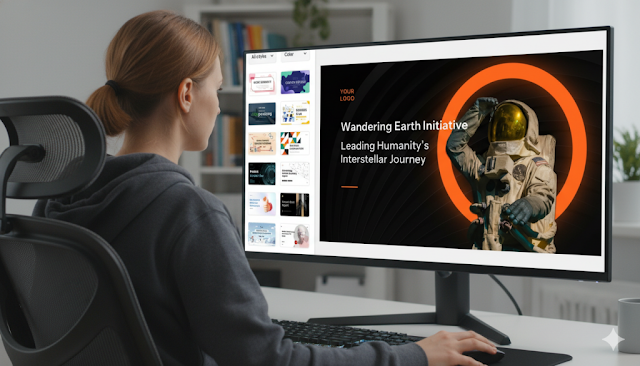
Upload your document (Word, PDF) or paste text directly into the AI PPT maker. Provide context with a specific prompt, like: "Create a 12-slide investor pitch deck from this business plan, focusing on the revenue model." Review the generated slide outline before creating the full deck to ensure logical flow.
Phase 3: Refine and Polish
Add the human touch. Use the built-in editor to tweak wording, swap images, or adjust layouts. Expand on points the AI summarized too aggressively. This phase is about polishing the AI's draft into your final, perfect presentation.
Pro Tips for Maximizing Your AI PPT Maker
Treat the AI as a collaborative partner to maximize efficiency.
- Use Iterative Prompting: Be specific. Instead of "make a presentation," try "create a persuasive, minimalist presentation for startup investors."
- Select Templates Strategically: Choose a visual style (corporate, creative, portfolio) that matches your audience before generation to minimize later edits.
- Optimize Data Input: Clearly label numbers and data tables in your text so the AI can accurately convert them into charts and graphs.
Common Mistakes to Avoid with AI Presentation Tools
Avoid these pitfalls to ensure high-quality output.
- Avoid the "Wall of Text": Don't force the AI to include every sentence. Trust its summarization to keep slides clean and readable.
- Don't Over-Reliance on Automation: Always review for factual accuracy. AI can occasionally misinterpret complex information.
- Bypass Generic Visuals: Replace key AI-selected stock images with your own screenshots, product photos, or team pictures to add authenticity.
Mastering Automated Presentation Design
The shift to AI-powered generation is redefining business communication. Using an AI PPT maker effectively reclaims hours lost to manual formatting. The goal is empowerment, not replacement.
The most successful users adopt a hybrid approach: let the AI handle structure and initial design, then apply your expertise to refine the message. This partnership produces stunning, professional presentations in record time. As these tools evolve, the ability to rapidly convert text to slides is becoming a standard competency for effective communication in 2025 and beyond.








Artikel Terkait
Viral! Hima Tambang ITB Akhirnya Minta Maaf: Ini Kronologi Lengkap Video Lagu Erika yang Dituduh Melecehkan Perempuan
Clara Shinta Digugat Rp10,7 Miliar oleh Wanita VCS Suaminya: Kronologi Lengkap yang Mengejutkan
Prabowo Bikin Kejutan di Paris: Ultah Seskab Teddy Jadi Momen Viral di Sela Bertemu Macron
Bripda Natanael Tewas Dianiaya Senior: Ini 5 Fakta Mengerikan di Balik Kasus Polda Kepri