
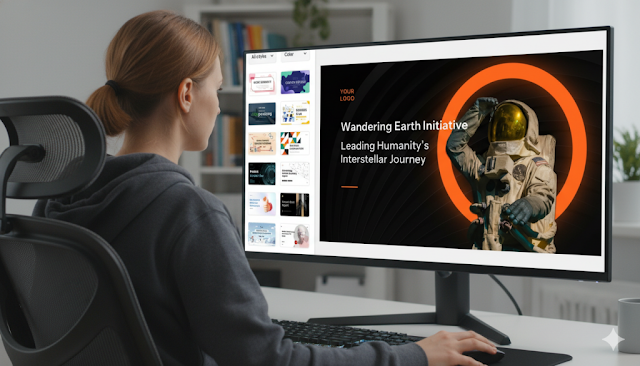
From Text to Slides: How to Use an AI PPT Maker Effectively
Using an AI PPT maker effectively goes beyond copy-pasting text. It requires a strategic approach to content structuring, prompt engineering, and visual refinement to ensure a professional and engaging final presentation. In 2025, transforming raw text into polished slides is a critical productivity skill. By leveraging advanced tools like AiPPT, you can automate tedious formatting, maintain design consistency, and focus on crafting a powerful narrative.
How AI Transforms Text into Presentation Slides
Modern AI slide generators use Natural Language Processing (NLP) to read and comprehend your input. Unlike basic tools, these engines analyze the semantic structure of your text. They identify the main topic, distinguish headers from supporting details, and summarize dense paragraphs into digestible bullet points.
This content transformation process means the AI assesses emotional tone and information density. For instance, it can suggest chart layouts for financial data or organize slides chronologically for a timeline. Understanding this allows you to trust the software with the heavy lifting of information architecture.
Why Choose an AI PPT Maker for Text-to-Slide Conversion
An AI PowerPoint maker like AiPPT stands out for its deep contextual understanding. It excels at handling long-form content—research papers, business plans, manuals—without losing the narrative thread. It bridges automation and customization by matching your text's visual logic to the design.
For a corporate review, the AI PPT maker applies a professional, clean aesthetic. For a creative brief, it shifts to a dynamic, colorful layout. This alignment of content and design makes it ideal for professionals who need both accuracy and aesthetics.
Step-by-Step Guide: Convert Text to Slides with AI
Follow this three-phase workflow to get a boardroom-ready presentation on your first try.
Phase 1: Prepare Your Input Text
Structure is key. Before using the AI tool, review your source document. Ensure it has clear headings (H1, H2) and that key points are distinct. Separate different ideas with line breaks. This helps the AI determine where one slide should end and the next begin.








Artikel Terkait
Viral! Hima Tambang ITB Akhirnya Minta Maaf: Ini Kronologi Lengkap Video Lagu Erika yang Dituduh Melecehkan Perempuan
Clara Shinta Digugat Rp10,7 Miliar oleh Wanita VCS Suaminya: Kronologi Lengkap yang Mengejutkan
Prabowo Bikin Kejutan di Paris: Ultah Seskab Teddy Jadi Momen Viral di Sela Bertemu Macron
Bripda Natanael Tewas Dianiaya Senior: Ini 5 Fakta Mengerikan di Balik Kasus Polda Kepri